
Switch Your Tower Troop and Test the Same Deck
On this page
Change the Tower Troop on the deck you plan to use, then compare how it handles a familiar attack. In Clash Royale on mobile, start with your owned options in ordinary modes that use your own deck.
Find the tower setting for your deck
Open Collection, open Decks, and scroll down to Towers for the selected deck. Tap the Tower Troop to inspect it or swap to another. This support card changes how your Crown Towers attack without taking one of the eight normal card slots. Tower Troop settings
Read the equipped troop’s information and confirm your selection in Towers after switching. Leave the normal cards unchanged so you can compare the tower choice without also learning a different defense.
Give the comparison one question
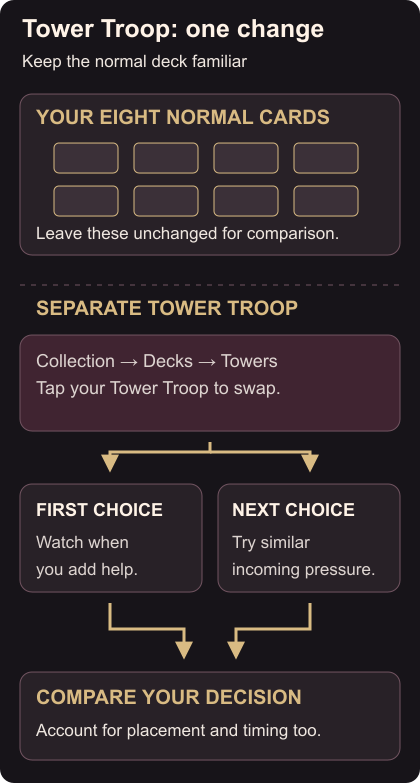
Start with: when does this tower need help from one of my cards? Arrange a Friendly Battle with someone willing to repeat an attack you’ve struggled against.
Watch when the tower starts attacking, which enemy remains a problem and when you add a defensive card. Defend normally; you don’t need to let the entire push through.
Switch to the other owned Tower Troop and ask for similar pressure. Keep your normal cards the same. If your placement or timing also changes, account for that before attributing the result to the tower.
Decide what needs another attempt
Repeat a confusing defense. Watch whether you helped too early or left an enemy alive longer than expected, then try a different kind of pressure. One successful defense doesn’t tell you how the troop handles every attack.
If you only own Tower Princess, use the same exercise to learn when it needs help. You can work on assistance timing and placement before comparing an alternative.
Check the setup when you change modes
Tower Troops apply in modes that use your own deck. In a mode with a preset deck, check its rules and deck screen before assuming your usual selection carries across. Supported modes
If you’re also moving an evolved card, check its separate Evolution slot setup.