
Clear a Row or Column in Block Blast!
On this page
Clear space by filling a complete row or column. In Hungry Studio’s Block Blast! mobile app, drag an offered block onto the board; a filled line clears away. Placement and clearing
Fill every cell in the line
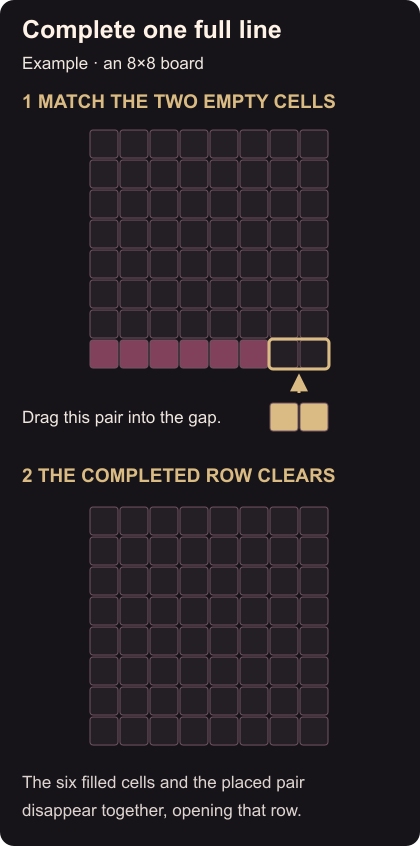
Once a line-clearing board is open:
- Look across each row and down each column. Find one with gaps that match a block you can place now.
- Check the whole shape, including any part outside that line. Every cell it occupies needs room.
- Drag the block into the matching space and release it.
- Watch for the completed line to disappear. The cleared cells give you room for later placements.
The example below uses an 8×8 board. Its bottom row has six occupied cells followed by two empty cells. A horizontal two-cell block fills those last spaces, so the row clears. Board size
If the line stays on the board
Check it from end to end. A gap anywhere leaves that line unfinished. If the block did not land, compare its full outline with the empty spaces before trying another position.
Before using a convenient gap, check space for another offered block. If two lines have matching gaps, look for a double-row clear.