
Plant Crops, Harvest Fields and Feed Animals
On this page
Plant and harvest several Township fields with one swipe, then feed your hungry animals. These controls are for the mobile game’s town screen.
Plant and harvest a patch
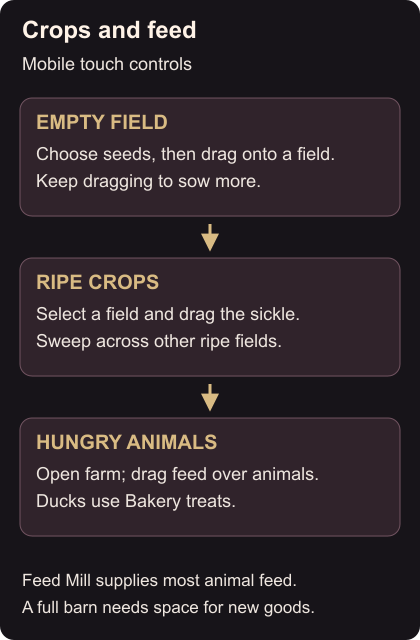
Tap an empty field to open the crop panel at the bottom. Drag your chosen seeds onto that field. Keep your finger down and slide across other empty fields to plant the same crop there. Start with a small patch so you don’t fill a field you wanted for something else.
Once crops are ripe, select a field and drag the sickle from the bottom panel over it. Keep dragging across the other ripe fields to collect them. Check ripeness first if a field won’t harvest.
Feed the right animal
Open the farm, then drag a feed bag onto a hungry animal. Slide over the others without lifting your finger to feed several in one motion. Most feed comes from the Feed Mill; ducks in the Duck Pond eat treats made at the Bakery instead. Field and animal controls
Before planting your next patch, check the factory’s ingredient list so you’re growing something you need.
If storage blocks collection, a full barn needs room before it can accept more goods. You can fill orders or sell unwanted items. Follow the barn-space steps, then try collecting again. Barn storage