
Clear Barn Space and Check the Next Upgrade
On this page
Free some barn space when Township won’t accept your next collection. On mobile, check your next upgrade before choosing which goods to sell.
Check the upgrade first
Open the Barn and tap Upgrade at the bottom. The next increase needs hammers, nails and paint. Look at the required amounts before selling any of those materials.
If you already have enough, choose Increase Storage to… to complete the upgrade. Check that your storage capacity has increased. Barn upgrades and selling
Clear only the stock you can spare
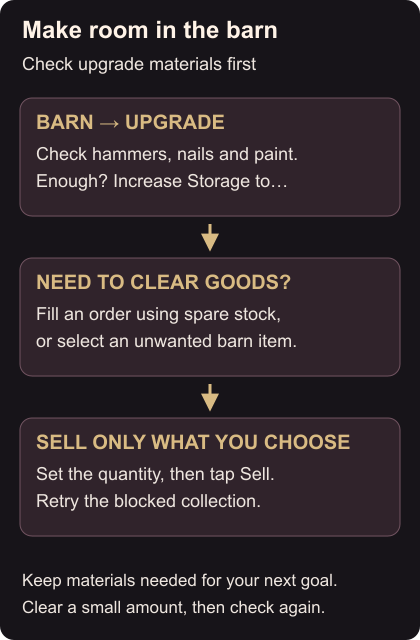
A full or overfull barn cannot store new items. To remove goods directly, select an item, choose the quantity and tap Sell. Check the amount before confirming; start with a small quantity if you only need room for one collection.
You can also clear goods by filling orders. If a current order already needs your spare stock, consider filling it first. Helicopter orders are the townspeople’s requests and reward coins and experience. Orders
Try the blocked collection again after freeing space. If it still needs more room, clear another small amount rather than selling a large stockpile at once.
Use the factory ingredient check before selling goods you might need next. When there’s room, return to harvesting and feeding.