
Create a Pokémon Tag and Find Its Members
On this page
Make a Buddy tag for Pokémon you want to befriend, then check that its members are easy to find. Tags are available from Trainer Level 15 in the Pokémon GO mobile app. Tag requirements
Create the group
Open Main Menu → Pokémon → Tags from Map View. Tap Plus, enter Buddy, choose a colour and tap Done. On the new tag’s page, choose Add Pokémon, tap the Pokémon you want and press Select. Create and apply a tag
Start with a few deliberate choices so you can check the finished group at a glance. Naming a tag Buddy is your own label; choose a different name if it better describes your plans.
Find and correct its members
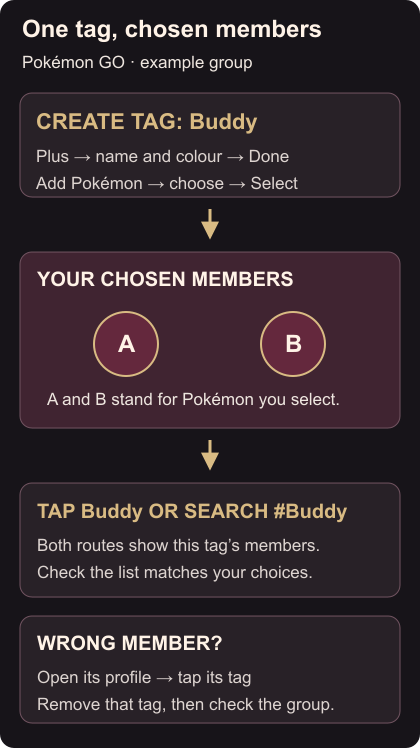
Tap Buddy on the Tags page to see its members. You can also open the inventory’s magnifying-glass search and enter #Buddy. The # followed by a tag name searches that tag. Tag searches
If the list is empty, check the spelling and whether you pressed Select after choosing Pokémon. To remove a wrong member, open its profile and tap the tag below its HP bar, or choose Tags from its action menu. Remove the unwanted tag there, then check the group again. Manage a Pokémon’s tags
For a Pokémon you want to protect from transfer, mark it as a favourite. When you’re ready to spend time with a chosen buddy, feed it with Quick Treat.