
Check a Pokémon's Appraisal and Mark a Favourite
On this page
Check a Pokémon’s appraisal before marking it as one you want to keep. These steps use the English menus in the Pokémon GO mobile app.
Read the appraisal
From Map View, open Main Menu → Pokémon. Choose a Pokémon, open its Menu, then tap Appraise. Read the Attack, Defense and HP assessments alongside the overall star rating. Swipe left or right, or use the white arrows, to compare adjacent Pokémon. Appraisal controls
Compare the individual assessments rather than remembering only the stars. Evolving or Powering Up won’t improve that appraisal, so don’t spend resources expecting those actions to raise it. Appraisal and upgrades
Mark it and check the result
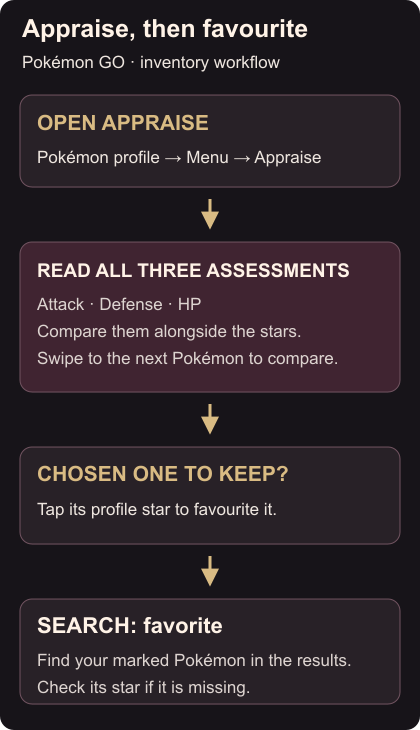
On the chosen Pokémon’s profile, tap the star to mark it as a favourite. That mark protects it from transfer. Return to the Pokémon inventory, tap the magnifying glass and search favorite. Your marked Pokémon should appear in the results. Favourites and search
If it doesn’t, clear other search terms and check its profile star again. Keep the English search spelling favorite, even if you normally write “favourite”.
Use Pokémon tags to record why you’re keeping different candidates. If one becomes your buddy, Quick Treat feeding gets its hunger meter filled.