
Use Your Pokémon Champions Switch Save on Mobile
On this page
Continue an existing Pokémon Champions Switch or Switch 2 save on Android or iOS by linking the same Nintendo Account when you first open the mobile app. Console-to-mobile save support
Link the same Nintendo Account on first launch
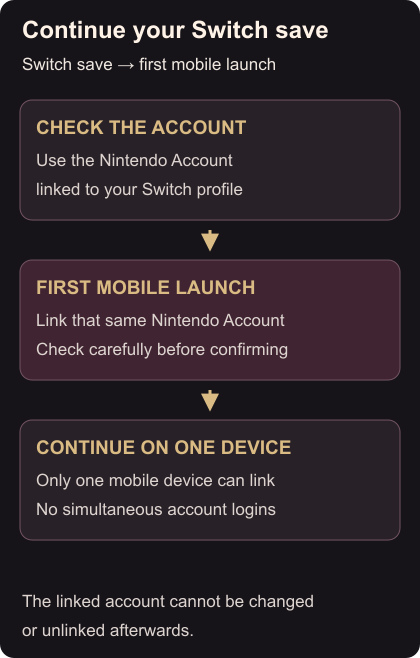
Identify the console user profile you play Champions with and the Nintendo Account attached to it. Check the account details before opening the mobile setup.
At the mobile app’s initial launch, link that same Nintendo Account. The link cannot later be changed or undone, and the game will not show which account was linked afterwards. If you are unsure which account your console uses, check it before confirming. Cross-device account instructions
Once linked, look for your familiar team and progress before starting another activity.
Use one device at a time
One game account can link to only one mobile device, and it cannot be logged in on multiple devices simultaneously. Google or Apple account links are for mobile data transfers and cannot replace the Nintendo Account needed on Switch. Device and account limits
For Pokémon already stored in HOME, use the console visitor guide. To play a friend on Switch, follow the private battle room steps.