
Start a Private Pokémon Champions Battle with a Room ID
On this page
Create one room, share its ID, then ready both teams to start a private Pokémon Champions match. These controls are for Nintendo Switch and Switch 2. You need an internet connection, updated software and a battle team made through the tutorial. Multiplayer requirements
Make the room and share its ID
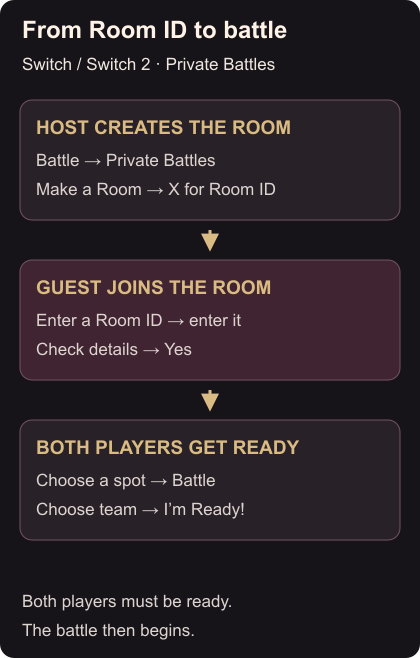
Open Champions, press A at the title screen, and choose Battle → Private Battles. If an introduction appears, read it and continue with A.
Agree which player will host. The host chooses Make a Room, then presses X to display the Room ID. Send that ID to the friend joining you. Private room controls
Join and ready both teams
The guest opens Private Battles → Enter a Room ID, enters the host’s ID and selects OK. Check the room details, then choose Yes to join.
Both players select a battle spot, choose Battle, select their team and choose I’m Ready! The battle starts when both are ready. If you are already in the room but nothing starts, check the battle spot and ready state before making another room. For an incorrect room, compare the entered ID with the host’s display. Joining and starting a battle
To bring an existing partner into Champions first, collect your HOME visitors. To continue the same account on your phone, link your Switch save on mobile.