
Choose Your First Delta Force Mode and Prepare Your Squad
On this page
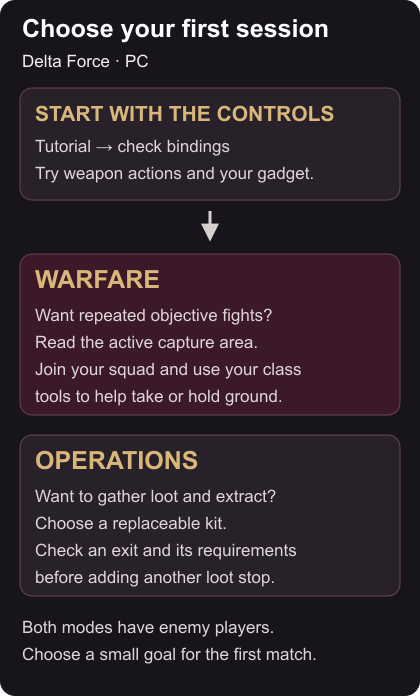
Choose Warfare to learn weapon handling while helping your squad take ground. Choose standard Operations when you want to prepare a kit, collect supplies and decide when to extract. Both have enemy players; Operations also puts mercenaries and bosses on the map. Delta Force on Steam
Choose the right first session
PC Warfare puts 64 players into combined-arms battles with vehicles. Its usual four-person squads work inside the larger team, so you can contribute by supporting the next objective fight. PC mode overview
Standard Operations usually sends three players to gather supplies and leave within the match time. Your ordinary deployed equipment is at risk, so entering with your most expensive gun makes every early mistake harder to recover from. Start with equipment you can replace and give your squad a small task, such as collecting needed supplies before leaving.
For a first Warfare match, aim to stay close enough to help at an objective. For a first Operations run, aim to understand an extraction requirement and get out with something useful. Chasing a kill total gives you less room to learn either mode.
Learn the actions before the fight
Complete the offered in-game tutorial. Delta Force includes system tutorials alongside its combat introduction. Tutorial details
Open your controls and find aim, fire, reload, interact, map, inventory, ping and your Operator abilities. Use the bindings shown in your settings. Practise a short sequence in the tutorial: aim at a target, fire, reload from cover and switch weapons. Try your gadget when the tutorial makes it available.
If an action feels awkward, change that binding and try the sequence again. Keep the rest familiar while you decide whether the change helped. You want to reach the map or a recovery action without hunting through controls during a fight.
Pick an Operator you can use
Read the Tactical Gear, gadgets and trait for the mode you selected. Choose someone whose tools you can explain, then give yourself one reason to use each: help a teammate recover, reveal an approach or support a push.
In Warfare, check the active objective and allied positions before moving. Pick the next piece of cover with your squad rather than following distant gunfire alone. The Warfare objectives and teamwork guide explains capture areas, class tools and rescues.
Prepare an Operations loadout
The loadout contains what you carry; stash storage holds your reserve items. If you own a Gear Ticket, it supplies a preset kit that includes weapons, armour, ammunition and medicine. Loadout and Gear Ticket guide
Inspect that kit before deploying. Match the ammunition to your weapon’s listed calibre, carry recovery supplies and leave backpack room for loot. Put reserve gear back into storage. Read the entry requirements for the map and difficulty you select instead of assuming every queue accepts the same kit.
Agree when the squad will stop searching. Call out a direction and a landmark you can actually see when you move or need help. Then use the Operations extraction guide to choose an exit before your backpack or the clock makes the decision for you.