
Play Chess with a Friend on One Phone
On this page
Use Play in Person to take turns with a friend on the same phone or tablet. Both players use that device as their chessboard.
Open Play in Person
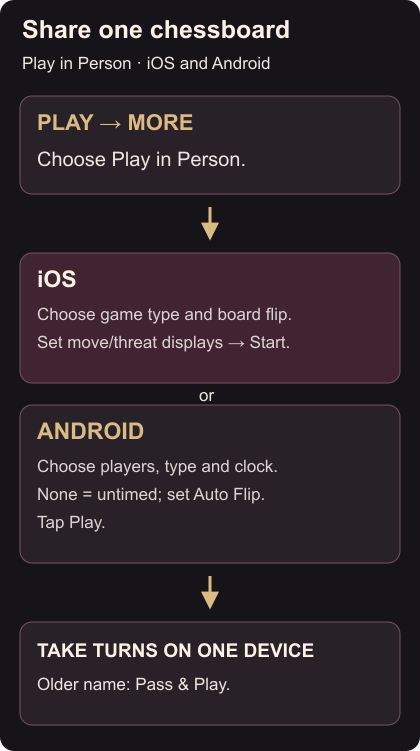
In the Chess.com iOS or Android app, tap Play, then More, then Play in Person. Older apps call this Pass & Play. Local play controls
On iOS, choose the game type, whether to show best moves or threats, and whether the board flips after each move. Tap Start.
On Android, choose the game type and time control. Select None for an untimed game. Tap a player name to edit it; use the crossed arrows to swap White and Black. Set Auto Flip, then tap Play.
Keep the board facing the next player
Take turns making moves on the opened board. On Android, Auto Flip rotates it after each move. With Auto Flip off, use Options → Flip Board whenever you want to turn it manually. Choose the orientation that suits whether you are passing the phone or leaving it on a table.
For separate devices, challenge your friend online. Online games also have a separate Confirm Move setting.