
Upgrade a Weapon or Armor Piece at a Workbench
On this page
Keep a weapon you enjoy using and improve it at a Workbench. These steps cover ordinary equipment upgrades in Avowed on Xbox Series X|S, after your first visit to Party Camp.
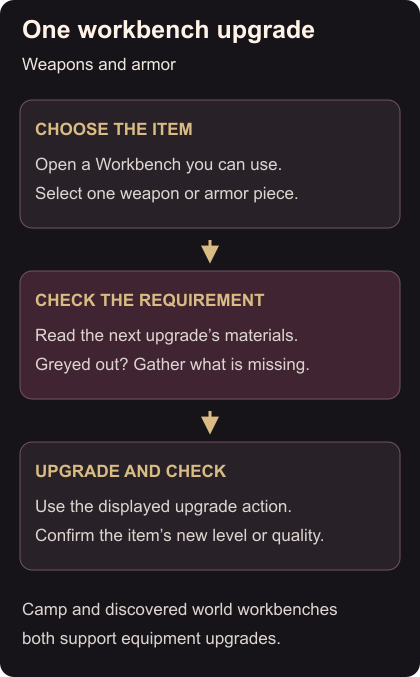
Complete one upgrade
- Use the Workbench at an established Party Camp, or a Workbench you have already found elsewhere. Workbenches outside camp can also upgrade equipment. Obsidian’s workbench changes
- Select the weapon or armor piece you want to improve. Read its current quality and the materials required for the next upgrade.
- If you have those materials, use the displayed upgrade action. Keep your selection on that item so you can check the result.
- Confirm that its upgrade level or quality has increased. Stop before buying another upgrade if those materials are intended for a different item. Workbench steps
If you use two weapon loadouts, check which set needs the materials first.
If the item is greyed out
A greyed-out upgrade means you are short of materials. Check the missing ingredient, rather than collecting everything indiscriminately. Materials can be found while exploring, bought from merchants or crafted from lower-tier supplies; improving a unique item’s quality can also require Adra. Material requirements
For a camp visit, open the map and fast travel to a camp you have established. When finished, use Exit to Previous Location at the Adra Stone or a suitable fast-travel point to return. Camp travel
If material collection is the part you want to reduce, you can adjust equipment upgrade costs. Read the achievement restriction before changing that setting.