
Lower Equipment Upgrade Costs with Custom Difficulty
On this page
Avowed lets you adjust equipment upgrade material costs separately from other difficulty options. On Xbox Series X|S, use this when you want to spend less time gathering materials for a weapon or armor piece.
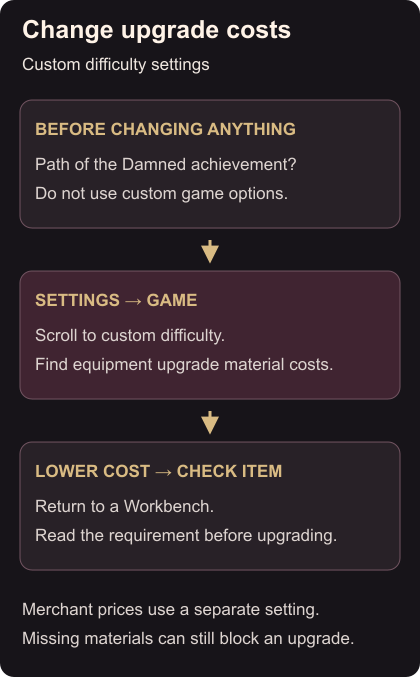
If you are pursuing the Path of the Damned achievement, leave the custom game options alone. Using them invalidates that achievement; most other achievements remain available. Custom difficulty and achievements
Change the material-cost setting
- Open Settings and select the Game tab.
- Scroll down to the custom difficulty options.
- Find the control for equipment upgrade material costs. Note its current value before changing it.
- Select a lower-cost option. Leave unrelated controls as they are if material gathering is the only part you want to adjust. Merchant prices have a separate setting. Custom options
Check the item you want to improve
Open a Workbench and select the same weapon or armor piece you intended to upgrade. Read its required materials before confirming the purchase. The workbench upgrade guide takes you through that step.
If the item is still greyed out, compare your supplies with the requirement shown. Lowering costs does not mean that you already own the ingredients. Workbench requirements
Make one upgrade and check its result before spending on the next piece. If you use two weapon loadouts, decide which set needs the improvement first.