
Remove Exploration Tools from Your Bag to Deliver Them
On this page
If a quest in Atelier Yumia on PS5 says you have no items to give despite owning the requested Bandages or Zipline Gloves, check your Exploration Bag. Exploration Tools cannot be delivered while equipped there.
Remove the tool before handing it over
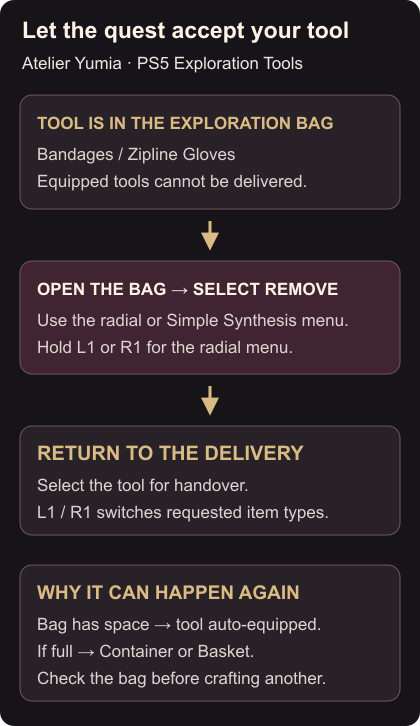
Open the Exploration Bag through the radial menu or the Simple Synthesis menu. While exploring on PS5, hold L1 or R1 to open the radial menu. PS5 radial-menu controls
Select the requested tool in your Exploration Bag and choose Remove. Return to the quest’s delivery interaction and select the tool again. Removing it from the bag makes it available to give; you do not need to craft a second copy just to solve the equipped-item restriction. Exploration Tool delivery fix
For a quest that requests several different item types, use L1 / R1 on the delivery screen to switch between them. Check each requested type and its required quantity before confirming the handover.
Why newly made tools can be unavailable
Simple Synthesis automatically equips created items in the Exploration Bag when there is space. If the bag is full, the items go to your Container or Basket instead. Making another tool can therefore repeat the same problem if the new one goes straight into the bag. Where Simple Synthesis puts items
After the handover, check the quest’s remaining requirements to see whether it needs another item type or quantity.
For altar crafting, follow synthesis from an Alchemy Core. To improve an item you want to keep, use Item Rebuilding.
Video guide
More Atelier Yumia: The Alchemist of Memories & the Envisioned Land guides
Browse every Atelier Yumia: The Alchemist of Memories & the Envisioned Land guide