
Read Collectibles Without Opening the Map in AI Limit
On this page
When a collectible offers a reading action in AI Limit, use the combined shortcut. On controller, pressing Select or Touchpad alone opens the Map/Notebook instead.
Press the reading combination
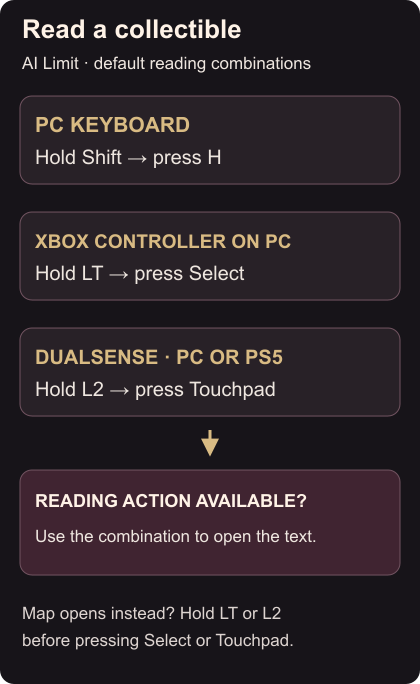
| Input device | Read collectible |
|---|---|
| PC keyboard | Hold Shift, then press H |
| Xbox controller on PC | Hold LT, then press Select |
| DualSense on PC or PS5 | Hold L2, then press Touchpad |
The modifier distinguishes reading from the Notebook/Map shortcut. Use the combination while the collectible’s reading action is available, then check that its text opens. Publisher reading controls
If the Map or Notebook opens
On default controller controls, Select and Touchpad are the Map/Notebook inputs. Close that screen and try again, holding LT or L2 before pressing the second button.
If your controls were remapped, check the game’s assigned reading input. If the listed combination is unavailable, install the available update.
For another changed controller input, cycle equipped spells. On keyboard, you can also separate Sprint and Dodge.