
Save and Reload a Build in the Armory
On this page
Save a working Diablo IV build before changing its gear or skills. The Armory works in both Seasonal and Eternal realms; these steps use the PC interface.
Save the setup you want to keep
Equip your intended gear and choose your skills first. Interact with an Armory in town, select an empty loadout slot, then use Save and Name. Pick a name that tells you what the build does, such as “bosses.”
Each character has five slots. A saved loadout includes equipped items, skill selections, the class mechanic, Paragon boards and glyphs. Switching between saved Paragon setups costs no gold. Armory controls
Keep that first slot while experimenting. When you want to keep a second arrangement, save it in another empty slot rather than replacing the first one.
Load the build and check your gear
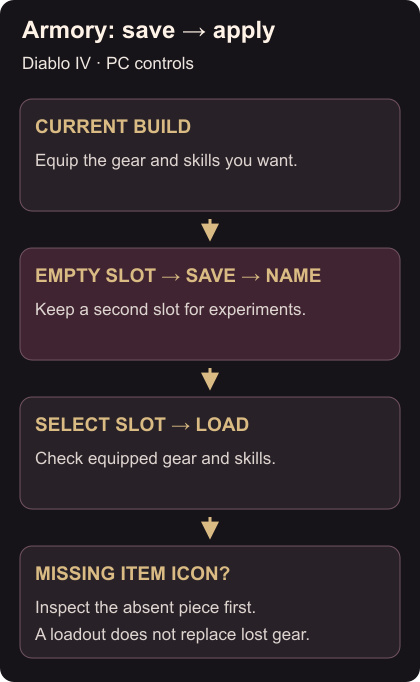
Select the named slot and press Load. Before leaving town, check your equipped weapon, skill bar and Paragon setup. Selecting a preview alone isn’t the step that applies the build.
If a saved item has been sold, traded or salvaged, the loadout preview shows a missing-item icon. Missing equipment A saved build doesn’t supply a replacement item. Identify the missing piece before choosing whether to recover your original setup or equip something else and save a revised build.
Avoid overwriting the working slot while investigating a missing piece. Finish with the intended gear and skills active, then head out.
Use the loot-filter guide to make a chosen gear rarity easier to spot. For group play, find an activity party after loading the build you want to use.